No-Code and Low-Code Development
This is the entry point for Regulators — domain experts who define, model and take responsibility for payroll calculation logic within the engine. Whether manually, with low-code approaches, or by reviewing LLM-generated output, the Regulator translates payroll knowledge into executable rules.
Regulator Skill Levels
The Regulator role spans three skill levels. Depending on complexity, a single person or a team covers these levels.
| Level | Role | Task | Skills | Outcome |
|---|---|---|---|---|
| No-Code | Regulation Owner | Capture requirements, define tests, review results | JSON | Case-Test, Payrun-Test, Report-Test |
| Low-Code | Regulation Builder | Design and develop regulations | JSON, C# Basics | Regulation (Cases, Wage Types, Collectors) |
| Code | Regulation Developer | Develop custom features | JSON, C# Intermediate | Custom Actions, Reports, Advanced Scripts |
Since the Regulation Builder requires only minimal C# knowledge (method calls), a tech-savvy Regulation Owner can develop regulations independently. A Regulation Developer is needed when functionality goes beyond the built-in regulation ecosystem.
C# as scripting syntax: Regulations use C# as a scripting language for expressions and validations — embedded directly in JSON or YAML. No .NET project, no compiler toolchain, and no software development background is required. .NET is only needed for the Automator role (Client Services SDK).
Payroll domain knowledge remains a mandatory requirement at all levels.
LLM-Assisted Development
LLMs can accelerate regulation development by generating JSON configurations and C# scripts. In this workflow, the Regulator acts as reviewer and owner of the generated output — validating correctness against payroll domain rules and running tests to ensure compliance.
The test-driven approach provides a documented boundary between human and machine contributions and ensures that generated regulations meet requirements.
Regulation Building Blocks
Regulations are composed from the following elements, configured in JSON and optionally extended with C# scripts:
| Element | Purpose | Example |
|---|---|---|
| Case | Captures input data (employee, company, national) | Salary, Tax ID, Working hours |
| Case Field | Individual data field within a case | Amount, Start date, Category |
| Case Relation | Dependency between cases | Salary triggers tax recalculation |
| Wage Type | Defines a payroll calculation line | Base salary, Overtime, Deduction |
| Collector | Aggregates wage type results | Total gross, Total deductions |
| Lookup | Reference data table | Tax brackets, Canton rates |
| Report | Output definition for payroll results | Payslip, Journal, Summary |
| Script | C# logic attached to any regulation object | Validation, Calculation, Formatting |
Scripting Functions
Scripts extend regulation objects with C# logic. Each script is bound to a specific function type:
| Function Type | Attached to | Purpose |
|---|---|---|
CaseAvailable |
Case | Control case visibility |
CaseBuild |
Case | Initialize or compute field values |
CaseValidate |
Case | Validate input before saving |
CaseRelationBuild |
Case Relation | Compute related case values |
CaseRelationValidate |
Case Relation | Validate related case input |
WageType |
Wage Type | Calculate wage type value |
WageTypeResult |
Wage Type | Post-process wage type result |
Collector |
Collector | Apply collection logic |
CollectorStart |
Collector | Initialize collector for payrun |
CollectorEnd |
Collector | Finalize collector after payrun |
ReportBuild |
Report | Prepare report data |
ReportEnd |
Report | Finalize report output |
The scripting HTML reference is included in the release assets.
No-Code: Actions
No-code actions allow Regulators to control case behavior without writing C# code. Actions are entered directly in the web application or in JSON configuration.
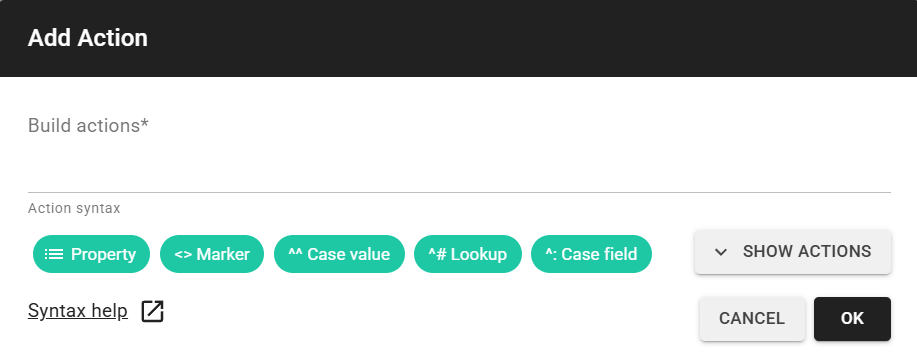
Actions use a compact syntax to express common operations:
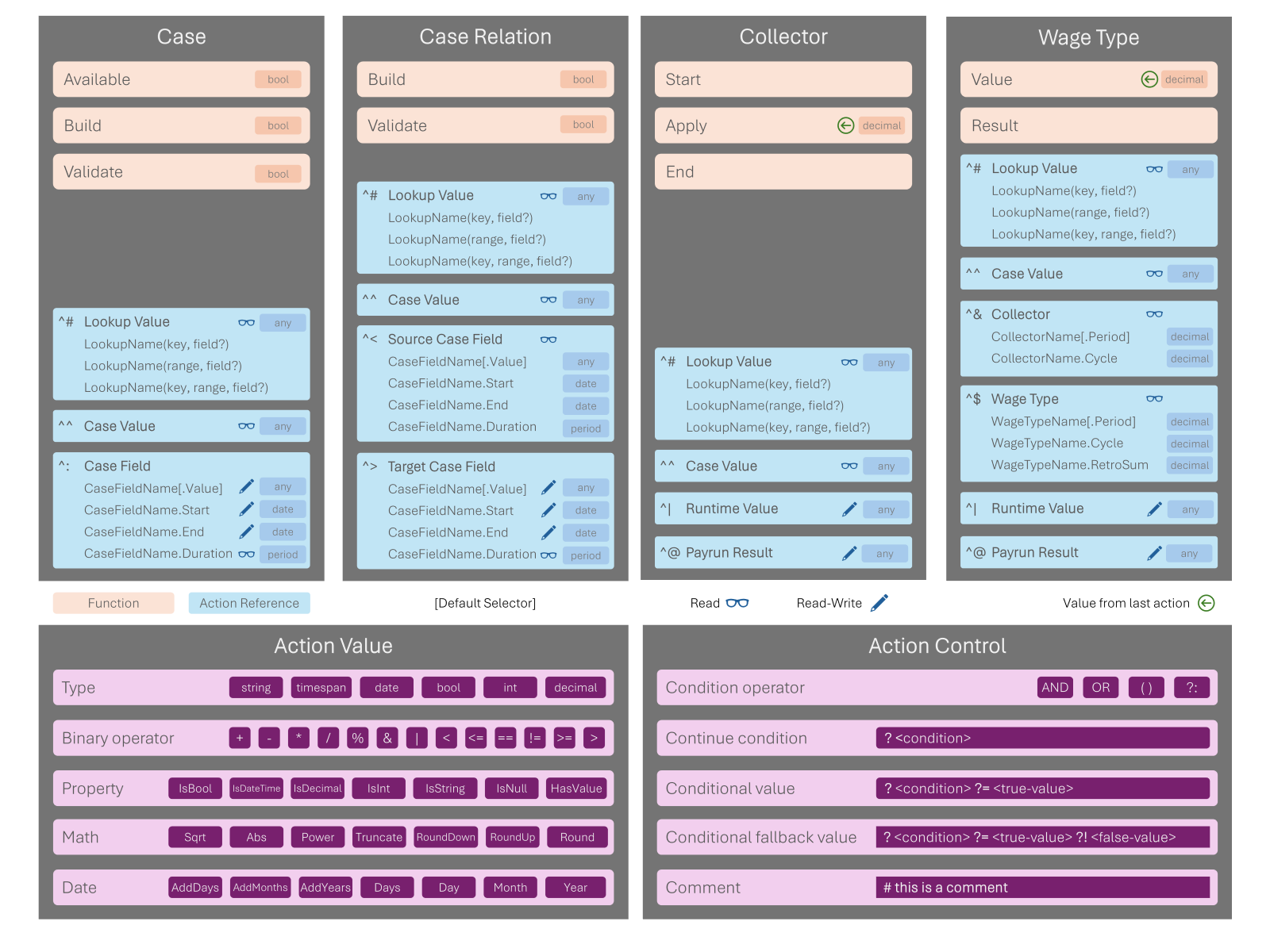
Further information on actions:
- Action syntax documentation
- Integrated actions reference
- Custom actions — extending the action system with Low-Code
Low-Code: Scripts
Low-code implementation uses C# scripts attached to regulation objects. Scripts have access to the Payroll Engine scripting runtime, which provides methods for reading case values, lookups, and payroll results.
A typical Low-Code workflow:
1. Define the regulation structure in JSON (cases, wage types, collectors)
2. Write C# scripts for calculations and validations
3. Register scripts in the regulation JSON (scripts array with functionTypes and valueFile)
4. Test with Case-Tests and Payrun-Tests
Test-Driven Development
Every regulation change should be backed by tests. The Payroll Engine supports three test types:
| Test Type | Validates | Runner |
|---|---|---|
| Case-Test | Case input, validation, actions | PayrollConsole CaseTest |
| Payrun-Test | Payrun calculation results | PayrollConsole PayrunTest |
| Report-Test | Report output | PayrollConsole ReportTest |
Tests are defined in JSON with schema validation support. They serve as both quality assurance and living documentation of regulation behavior.
The payrun job preview endpoint allows testing calculations without persisting results — see API Usage.
Regulation Layers
Regulations are organized in layers that inherit from each other. A derived regulation can override or extend any element from its base:
National Regulation (e.g. Switzerland)
  └── Industry Regulation (e.g. Construction)
        └── Company Regulation (e.g. Acme AG)
This layered approach allows Regulators to build on existing regulations without duplicating logic.
Next Steps
- Custom Actions — tutorial for building custom validation actions
- API Overview — understanding the Regulator role in context
- Examples — payroll examples and demos
- Articles — blog posts and technical articles